Guest menu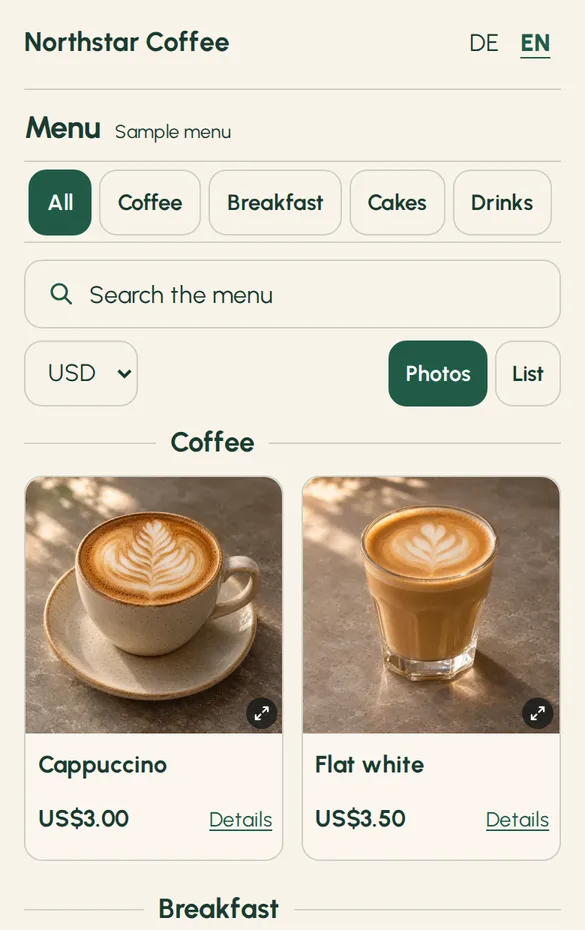
Owner dashboard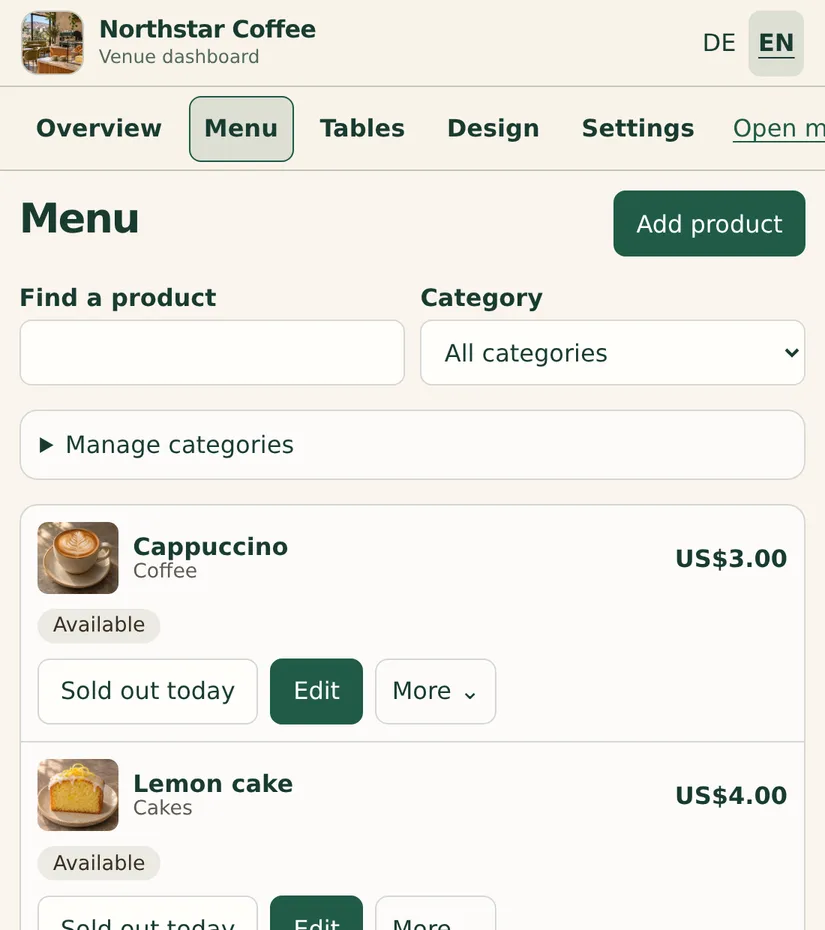
Your team updates dishes, prices and photos in the dashboard. During setup, your venue gets its own menu link to share.
From intake to outcome
- 01Salytiq sets up your venue and its address
- 02Choose languages, price lists and design in the setup guide
- 03Add your first items and review the menu
- 04Publish the menu and print the QR code or share the link
Business outcomes
- German and English as standard, with additional languages by arrangement
- Your own prices in euros, US dollars and Iraqi dinars
- Preview your logo, colours and type together
Typical deliverables
- QR menu with categories, search and product photos guests can enlarge
- Optional table and counter ordering with updates for guests and staff
- Guided setup and a dashboard for products, design and service
- Optional photo enhancement with a side-by-side review
When the solution fits
- Cafés, restaurants and bars with a changing menu
- A single menu for guests on site and on Instagram
- Table service and walk-up cafés with counter pickup
Scope boundaries and prerequisites
Clear boundaries
- The venue controls which price lists guests can view and use to order
- The venue handles billing on site. Optional online payments require a configured payment provider.
Required foundations
- Approved dishes, prices, images and venue details
- Designated staff for orders, plus table labels for table service
How an engagement can work
- 01
01 Understand
Capture the workflow, effort, systems and visible pain.
- 02
02 Prioritise
Align impact, feasibility and economic value.
- 03
03 Implement
Build, test and clearly hand over one bounded workflow.
- 04
04 Operate
Monitor and improve within an agreed scope.
Frequently asked questions
What does Digital Menu include?
Your team updates dishes, prices and photos in the dashboard. During setup, your venue gets its own menu link to share. Typical deliverables include: QR menu with categories, search and product photos guests can enlarge; Optional table and counter ordering with updates for guests and staff; Guided setup and a dashboard for products, design and service; Optional photo enhancement with a side-by-side review.
What information is needed to get started?
A robust initial scope requires: Approved dishes, prices, images and venue details; Designated staff for orders, plus table labels for table service.
When is this solution a good fit?
A useful starting point is especially likely when: Cafés, restaurants and bars with a changing menu; A single menu for guests on site and on Instagram; Table service and walk-up cafés with counter pickup.
Which boundaries are clarified before implementation?
Transparent scope boundaries are part of the work: The venue controls which price lists guests can view and use to order; The venue handles billing on site. Optional online payments require a configured payment provider..
How can an engagement begin?
We first understand the workflow and prioritise one clearly bounded step. Where the starting point remains unclear, an Automation Audit can prepare the right implementation.
Related solutions
Salytiq
See Salytiq Menu in action
In a walkthrough, we can show how the menu and service flow could work for your venue.